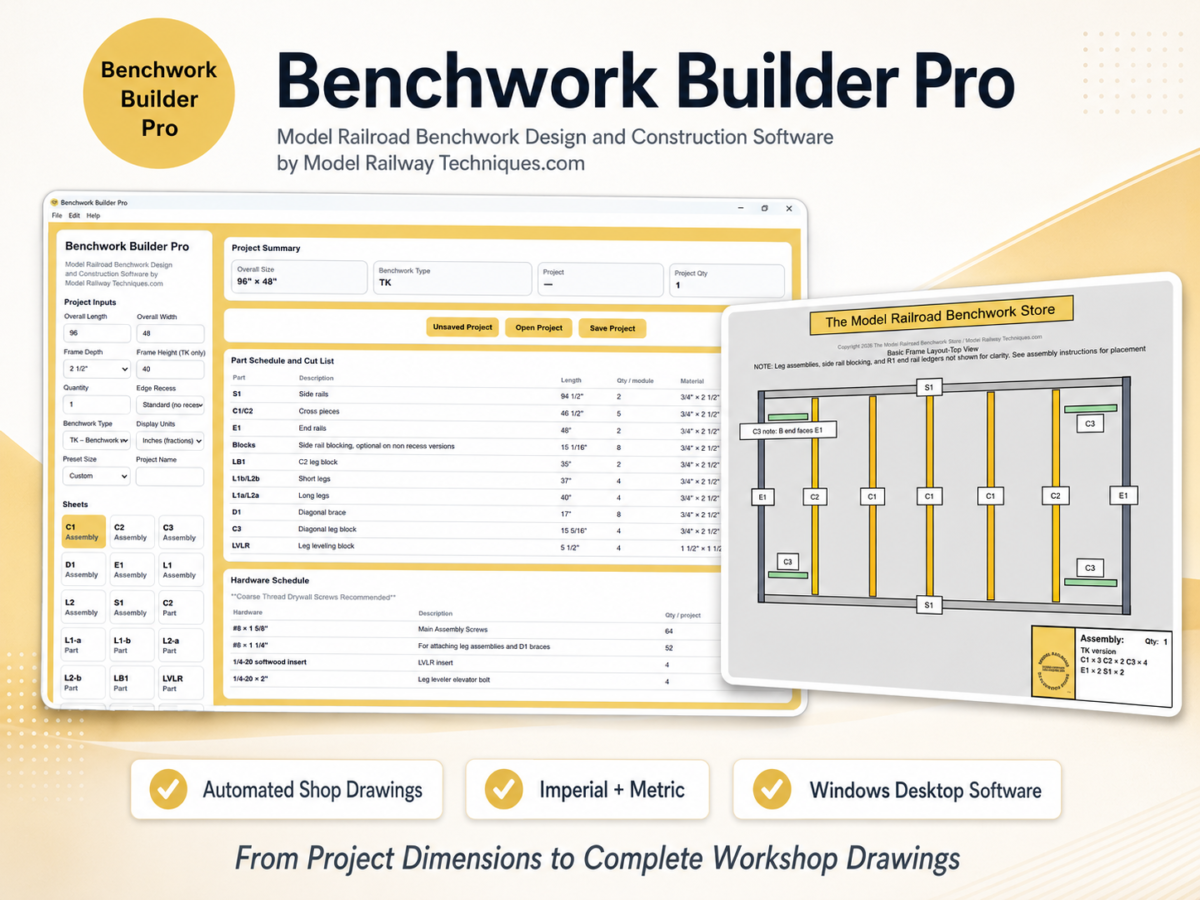
💻 System Requirements and Compatibility
Please review these requirements before purchasing Benchwork Builder Pro™.
✅ Supported Operating System
- Microsoft Windows 11, 64-bit
- Windows 11 Home or Pro
- Current Windows updates recommended
Benchwork Builder Pro is a Windows desktop application.
It is not currently available as a native application for macOS, Linux, Android, iPhone, iPad, or Chromebook.
⚠️ Windows 10 Compatibility
Benchwork Builder Pro may operate on Windows 10 22H2, 64-bit, but Windows 10 has reached the end of standard Microsoft support.
Windows 10 compatibility is therefore provided on a best-effort basis and is not guaranteed for future Benchwork Builder Pro updates.
Windows 11 is recommended for ongoing compatibility and security.
✅ Processor
- 64-bit Intel or AMD processor
- Two processor cores or more
- 1 GHz or faster
- Modern multi-core processor recommended
The current installer is intended for standard 64-bit Windows computers.
Windows computers using ARM processors are not officially supported at this time.
✅ Memory
- 4 GB RAM minimum
- 8 GB RAM or more recommended
Additional memory may improve performance when working with larger projects, complete drawing sets, PDF files, and other applications at the same time.
✅ Storage
- Approximately 500 MB of available storage for installation and normal application files
- Additional space required for saved project files and exported PDFs
Customers should also retain a backup copy of the original downloaded installation package.
✅ Display
- Minimum usable display resolution: approximately 1280 × 900
- Recommended display resolution: 1920 × 1080 or higher
- Standard Windows display scaling recommended
A larger display provides more room for the project controls, drawing sheets, dimensions, schedules, and cut-list information.
Very small screens, unusually high display scaling, or resolutions below the minimum may prevent portions of the application from fitting comfortably on screen.
✅ Internet Connection
An internet connection is required for:
- Initial software activation
- Registering the licensed computer
- Periodic license revalidation
- License transfers or resets
- Downloading software updates
Benchwork Builder Pro normally revalidates its license approximately every 30 days.
A temporary internet or Keygen service failure may receive a limited seven-day grace period while the application continues attempting revalidation.
The grace period does not apply to licenses that are invalid, revoked, expired, assigned to another computer, or otherwise in violation of the Software License and Terms of Use.
✅ Additional Software
Customers do not need to install:
- Node.js
- npm
- Electron
- CAD software
- A web server
- A separate database
All required application components are included with the Benchwork Builder Pro Windows installer.
A standard PDF viewer is recommended for reviewing exported drawing sets.
A printer is optional and is required only when physical drawing sheets are desired.
⚠️ Restricted Computers
Benchwork Builder Pro may not install or operate correctly on computers that:
- Are controlled by an employer, school, library, or organization
- Prevent installation of non-store desktop applications
- Use Windows S mode
- Block the installer through security policies
- Block communication with the Keygen license-validation service
- Use restrictive antivirus, firewall, or network settings
Customers using a managed or restricted computer should obtain permission from the computer administrator before purchasing.
❌ Unsupported Environments
Compatibility is not guaranteed for:
- macOS
- Linux
- ChromeOS
- Mobile operating systems
- Windows virtual machines
- Windows emulators or compatibility layers
- Remote application-hosting systems
- Modified or unofficial Windows installations
- Windows Insider preview builds
- Obsolete or unsupported Windows versions
- ARM-based Windows computers
- Multi-user server or shared-computer environments
Windows Security Notice
Windows may display a security confirmation when launching software downloaded from the internet.
Customers should confirm that the installer filename is:
Benchwork_Builder_Pro_v1.0_Setup.exe
and that the installer was downloaded directly through the official Model Railway Techniques / Model Railroad Benchwork Store product page.
Compatibility Disclaimer
Reasonable efforts will be made to maintain Benchwork Builder Pro version 1.x on the supported Windows configurations published for the product.
Compatibility with every future Windows release, security update, hardware configuration, display setting, printer driver, antivirus product, firewall, or third-party service cannot be guaranteed.
When a material compatibility problem is verified, an update may be provided when technically and commercially reasonable.
Please also review the following pages and policies
- Benchwork Builder Pro Support, Licensing, and Customer Policies
- Benchwork Builder Pro Refund and Cancellation Policy
- Benchwork Builder Pro Software License and Terms of Use
- Benchwork Builder Pro FAQ, Licensing & Support
Copyright 2026 The Model Railroad Benchwork Store/Model Railway Techniques.com All Rights Reserved
Benchwork Builder Pro, PDF Benchwork Plan Packages, Digital PDF Model Railroad Table Plan Packages, “PRO” Digital Benchwork Plan Packages, Model Railroad Benchwork Cut List & Plan Generator, Helix Builder, EZ-FOLD NTRAK Modules, EZ-FOLD Free-Mo Modules, and The Model Railroad Benchwork Store are Trademarks of The Model Railroad Benchwork Store/Model Railway Techniques.com and may not be reproduced, copied, or redistributed in any way without prior written consent by The Model Railroad Benchwork Store/Model Railway Techniques.com
Last Updated on 3 months ago ago by James from Model Railway Techniques