Effective date: July 2026
This page answers common questions about purchasing, downloading, installing, activating, licensing, updating, and using Benchwork Builder Pro™.
For detailed legal terms, review the Software License and Terms of Use, Support and Customer Policies, Refund and Cancellation Policy, and current System Requirements.
Product and Purchase Questions
What is Benchwork Builder Pro?
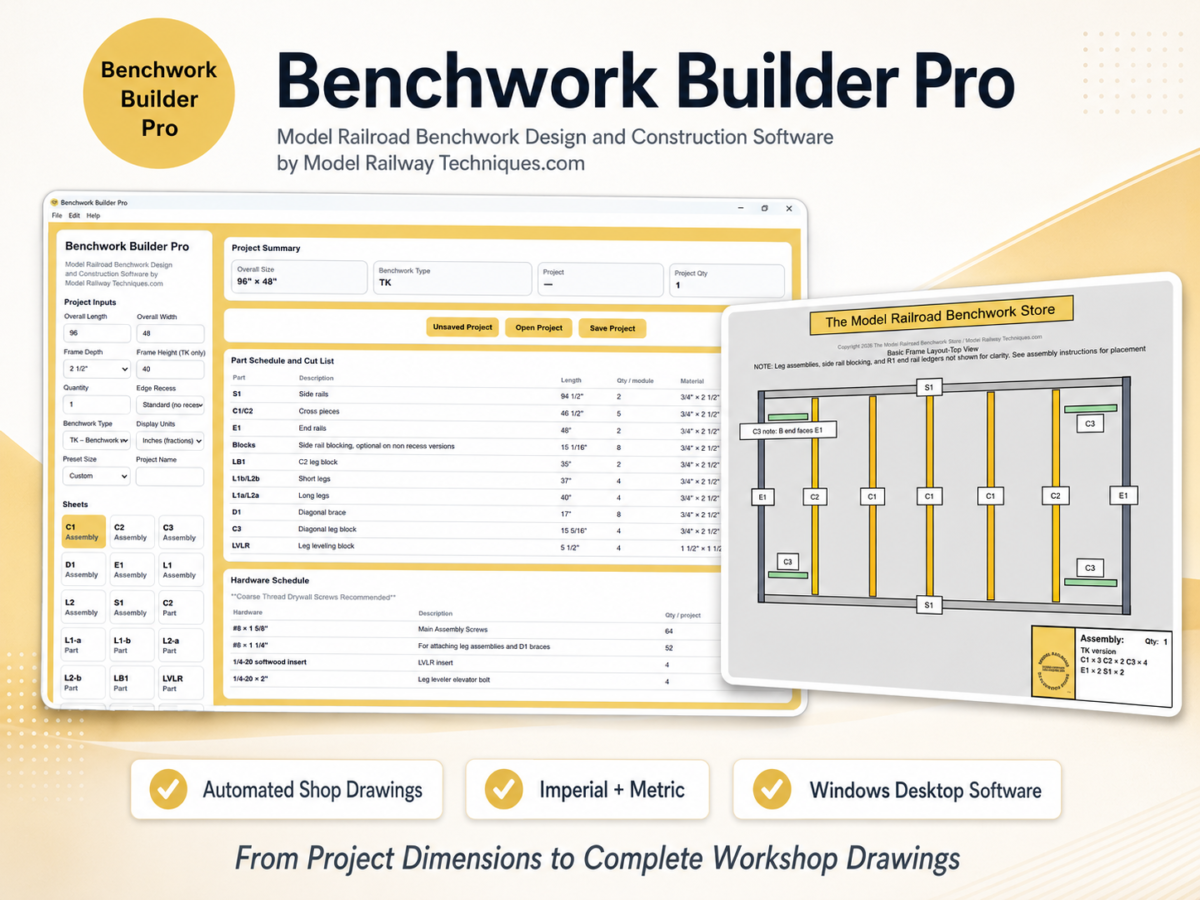
Benchwork Builder Pro is a Windows desktop application that converts custom model railroad benchwork or model railway baseboard specifications into a complete automated drawing set.
Depending on the project, the software can generate:
- Dimensioned assembly drawings
- Individual part drawings
- Cut lists
- Part quantities
- Material sizes
- Hole locations
- Alignment and assembly markings
- Hardware schedules
- Imperial or metric output
Projects can be saved, reopened, printed, or exported as PDF files.
Is Benchwork Builder Pro a subscription?
No.
Benchwork Builder Pro is sold as a one-time personal-use license for the purchased version, subject to the Software License and Terms of Use.
There is no monthly subscription fee for the personal version.
Is this a physical product?
No.
Benchwork Builder Pro is a digitally delivered Windows software product. Nothing is shipped by mail.
The customer receives:
- A downloadable ZIP package
- Windows installer
- Included PDF documentation
- A separately issued individual license key
When will I receive my license key?
License keys are issued manually after the order has been received and reviewed.
The license key is sent to the email address used during checkout.
Because fulfillment is manual, the license email may not arrive at the exact same time as the automated Ecwid download email.
Which name should I use during activation?
Use the purchaser name shown in the Benchwork Builder Pro license email.
The license is issued to the purchaser named on the order. Enter the purchaser name and license key exactly as provided.
Can I purchase the software as a gift?
The personal license is issued to the purchaser identified in the order and activation record.
A gift purchase should be arranged before the license key is issued so the intended licensee can be correctly identified.
Contact jamesmmrbs@gmail.com before purchasing or immediately after ordering.
Download and Installation Questions
How is the software delivered?
After payment, Ecwid provides access to the customer ZIP package.
The package includes the Windows installer and supporting documentation. The individual license key is delivered separately by email.
How long is the original download link available?
The original Ecwid download link is normally available for:
- Seven days
- One download attempt
Download the package promptly and retain a secure backup copy.
What happens if my download link expires?
Contact:
Include the purchaser name, checkout email address, and Ecwid order number.
A replacement link may be provided after the purchase is verified.
Should I run the installer from inside the ZIP file?
No.
First extract the complete ZIP package:
- Right-click the ZIP file.
- Select Extract All.
- Open the extracted folder.
- Run the Benchwork Builder Pro setup file.
Do I need to install Electron, Node.js, CAD software, or a database?
No.
The required application components are included with the Benchwork Builder Pro installer.
A separate CAD program is not required.
Can I keep a backup copy of the installer?
Yes.
The purchaser may retain a reasonable personal archival backup of the installer and documentation.
The backup must remain under the purchaser’s control and may not be shared with another person or organization.
Compatibility Questions
Which operating system is supported?
Benchwork Builder Pro is designed for 64-bit Microsoft Windows computers.
Windows 11, 64-bit, is the recommended and officially supported operating system for the current release.
Review the current System Requirements page before purchasing or installing an update.
Does Benchwork Builder Pro run on macOS?
No native macOS version is currently available.
Compatibility through virtualization, emulation, compatibility layers, or remote-hosting systems is not guaranteed or officially supported.
Does it run on Linux or Chromebook?
No.
Linux and ChromeOS are not currently supported.
Does it work on an iPhone, iPad, Android tablet, or mobile phone?
No.
Benchwork Builder Pro is a Windows desktop application and is not designed for mobile operating systems.
Are Windows ARM computers supported?
Windows computers using ARM processors are not officially supported at this time.
The current installer is intended for standard 64-bit Intel or AMD Windows computers.
Is the software interface available in other languages?
The current Benchwork Builder Pro interface and included documentation are in English.
The software supports both imperial and metric project dimensions.
Activation and Internet Questions
Is an internet connection required?
An internet connection is required for:
- Initial activation
- Registering the licensed computer
- Periodic license revalidation
- Computer-transfer or license-reset processing
- Downloading software updates
A continuous internet connection is not normally required while creating or editing projects between validation periods.
How often does the license revalidate?
Benchwork Builder Pro normally revalidates the license approximately every 30 days.
What happens if the internet is temporarily unavailable?
When revalidation fails only because of a temporary internet connection problem or licensing-service outage, the software may allow a limited seven-day grace period.
Connect the computer to the internet and restart Benchwork Builder Pro to retry validation.
Does the seven-day grace period apply to every license problem?
No.
The grace period does not apply when the licensing service reports that the license is:
- Invalid
- Revoked
- Expired
- Registered to another computer
- Beyond the permitted device limit
- Otherwise unauthorized
What should I do if activation fails?
Confirm that:
- The purchaser name matches the license email
- The complete license key was entered correctly
- The computer is connected to the internet
- A firewall or security product is not blocking the application
- The license has not already been activated on another computer
If the problem continues, contact jamesmmrbs@gmail.com and include the exact error message.
One-Computer License Questions
How many computers may I use?
One personal Benchwork Builder Pro license permits use by one individual purchaser on one activated computer.
Can I install it on both my desktop and laptop?
No.
A standard personal license does not permit simultaneous installation or activation on two computers.
A separate license would be required for a second computer unless otherwise authorized in writing.
Can another person in my household use my license?
The license is issued to the original individual purchaser and may not be shared with another person.
Can I transfer the software to a replacement computer?
Yes, subject to manual approval and purchase verification.
Contact support before attempting activation on the replacement computer.
What information is needed for a transfer?
Provide:
- Purchaser name
- Checkout email
- Order number, when available
- License key
- Reason for the transfer
- Confirmation that the old computer will no longer use the software, when applicable
Is a computer transfer automatic?
No.
Transfers and license resets are handled manually.
What if my computer fails and I cannot deactivate it?
Contact support and explain the hardware failure.
After purchase verification, the previous device registration may be reset so the license can be moved to a replacement computer.
Will reinstalling Windows affect activation?
It may.
A Windows reinstall or major hardware change can alter the computer fingerprint used by the licensing system.
Contact support if the software no longer recognizes the previously licensed computer.
Personal and Commercial Use Questions
Can I use Benchwork Builder Pro for customer projects?
Not under the standard personal license.
The personal license is limited to the purchaser’s own noncommercial model railroad projects.
Can I sell benchwork made from the generated drawings?
No.
Using Benchwork Builder Pro or its output to design, manufacture, advertise, or sell benchwork requires separate written commercial authorization.
Can a model railroad club use my copy?
No.
Club, group, organizational, school, institutional, and shared use are not included in the personal license.
Can I use it for an educational class or workshop?
Not under the standard personal license.
Educational or organizational use requires separate written permission.
Can I give my generated drawings to a carpenter or fabricator?
Limited disclosure is permitted when one friend or hired fabricator needs the exported drawings solely to build the purchaser’s own personal benchwork project.
The fabricator may not:
- Receive the software or license key
- Use the drawings for another customer
- Retain them for future projects
- Sell or distribute them
- Use the design commercially beyond the purchaser’s single project
The purchaser remains responsible for the fabricator’s access and compliance.
Can I share a project file with someone else?
No.
Project files contain output generated under the purchaser’s personal license and may not be shared for another person’s independent use.
Can I post my drawing set online?
No.
Complete generated drawing sets, project files, installer files, license keys, and documentation may not be publicly posted or distributed.
Limited screenshots may be used to show the purchaser’s completed personal layout, provided they do not disclose complete reusable drawings, proprietary information, or license details.
Project and Drawing Questions
Do the drawings update automatically?
Yes.
As project dimensions and options are changed, the drawing set, dimensions, cut lists, quantities, and hardware information update automatically.
There is no separate Generate button.
Can I work in inches or millimeters?
Yes.
Benchwork Builder Pro supports:
- Imperial measurements using inches and fractions
- Metric measurements using millimeters
Can I save and reopen projects?
Yes.
Use Save Project to save changes to the current project file.
Use Save Project As to create a separate project copy without overwriting the original.
Where are my project files stored?
Project files are stored locally in the location selected by the customer.
Benchwork Builder Pro does not automatically upload or back up personal project files.
Save projects in a normal user folder such as Documents and maintain backup copies.
Are my projects stored online?
No automatic cloud storage is included.
The customer is responsible for maintaining local or personal cloud backups.
Does the software include structural engineering or building-code approval?
No.
Benchwork Builder Pro drawings are intended for model railroad benchwork and model railway baseboards.
They are not certified architectural, structural-engineering, building-code, life-safety, or human-occupancy documents.
The customer or fabricator remains responsible for material selection, workmanship, anchoring, installation, and safe use.
Printing and PDF Questions
Can I print one drawing sheet?
Yes.
The application can print the currently selected sheet.
Can I print the complete drawing set?
Yes.
The complete project drawing set can be sent to a printer.
Can I save the drawings as a PDF?
Yes.
The application can export:
- The current drawing sheet as a PDF
- The complete drawing set as a PDF
What should I do if my printer does not print correctly?
Confirm:
- The correct printer is selected
- The printer is online
- The paper size is correct
- The printer driver is current
- Windows can print from another application
- Portrait or landscape orientation is appropriate
- Printer scaling has not distorted the drawing
You may also export the drawing set as a PDF and print it through your normal PDF viewer.
Does Benchwork Builder Pro guarantee exact physical print scale?
Printer hardware, drivers, margins, scaling settings, and PDF viewers can affect physical output.
Always verify critical printed dimensions before cutting material when exact print scale matters.
The written dimensions shown on the drawing remain the primary fabrication reference.
Updates and Version Questions
Are version 1.x updates included?
Bug fixes and minor improvements released for Benchwork Builder Pro version 1.x are intended to be provided to valid version 1.x license holders.
The release of any particular update is not guaranteed.
Will my existing license key work with version 1.x updates?
Unless otherwise announced, a valid version 1.x license key is expected to remain valid for version 1.x replacement builds.
Will version 2.0 be free?
A future major release, such as Benchwork Builder Pro version 2.0, may be sold as a separate product or paid upgrade.
How will updates be delivered?
Updates may be distributed through:
- Ecwid download links
- The Model Railway Techniques website
- Direct support communication
Download updates only from an official Model Railway Techniques or Model Railroad Benchwork Store source.
Will I need to accept revised license terms after an update?
Possibly.
A material change to the Software License and Terms of Use may require customers to review and accept the revised terms before continuing to use an updated build.
Refund Questions
Can I cancel before the license key is issued?
Yes.
A full cancellation may be requested when the request is received before the individual license key has been issued.
Can I receive a refund after receiving the license key?
After a license key has been issued, the purchase is ordinarily non-refundable.
Limited exceptions may apply for:
- Duplicate purchases
- Certain incorrect-product purchases before activation
- Failure to deliver the purchased product
- An unresolved verified software defect
- Material misdescription
- Rights required by applicable law
Review the complete Refund and Cancellation Policy for details.
How long do I have to submit a refund request?
Refund requests should normally be submitted within 14 calendar days of purchase.
Submission within 14 days does not automatically guarantee approval.
What happens to the license after a refund?
An issued license may be revoked or disabled.
The customer must stop using the software, uninstall it, delete installer copies, and not continue using the refunded license.
Lost Key and Support Questions
What if I lose my license key?
Contact jamesmmrbs@gmail.com from the original checkout email address whenever possible.
Include:
- Purchaser name
- Checkout email
- Approximate purchase date
- Ecwid order number, when available
The purchase must be verified before the key can be resent.
What support is included?
Reasonable support includes assistance with:
- Downloads
- Installation
- Activation
- License validation
- Computer transfers
- Project saving and opening
- Printing and PDF export
- Included documentation
- Reproducible software defects
How quickly will support respond?
Support inquiries are normally answered within two business days.
This is an initial-response target and does not guarantee complete resolution within that period.
Weekends and United States federal holidays are generally excluded.
What should I include in a support request?
Include:
- Purchaser name
- Checkout email
- Order number
- Software version
- Windows version
- Exact error message
- Screenshot, when useful
- Description of the steps that caused the problem
Do not send the installer, full software package, complete project files, or complete drawing set unless specifically requested.
What is the support email?
Related Policies and Documents
Please also review:
- Benchwork Builder Pro Support, Licensing, and Customer Policies
- Benchwork Builder Pro Refund and Cancellation Policy
- Benchwork Builder Pro Software License and Terms of Use
- Benchwork Builder Pro System Requirements
Copyright 2026 The Model Railroad Benchwork Store/Model Railway Techniques.com All Rights Reserved
Benchwork Builder Pro, PDF Benchwork Plan Packages, Digital PDF Model Railroad Table Plan Packages, “PRO” Digital Benchwork Plan Packages, Model Railroad Benchwork Cut List & Plan Generator, Helix Builder, EZ-FOLD NTRAK Modules, EZ-FOLD Free-Mo Modules, and The Model Railroad Benchwork Store are Trademarks of The Model Railroad Benchwork Store/Model Railway Techniques.com and may not be reproduced, copied, or redistributed in any way without prior written consent by The Model Railroad Benchwork Store/Model Railway Techniques.com
Last Updated on 3 months ago ago by James from Model Railway Techniques