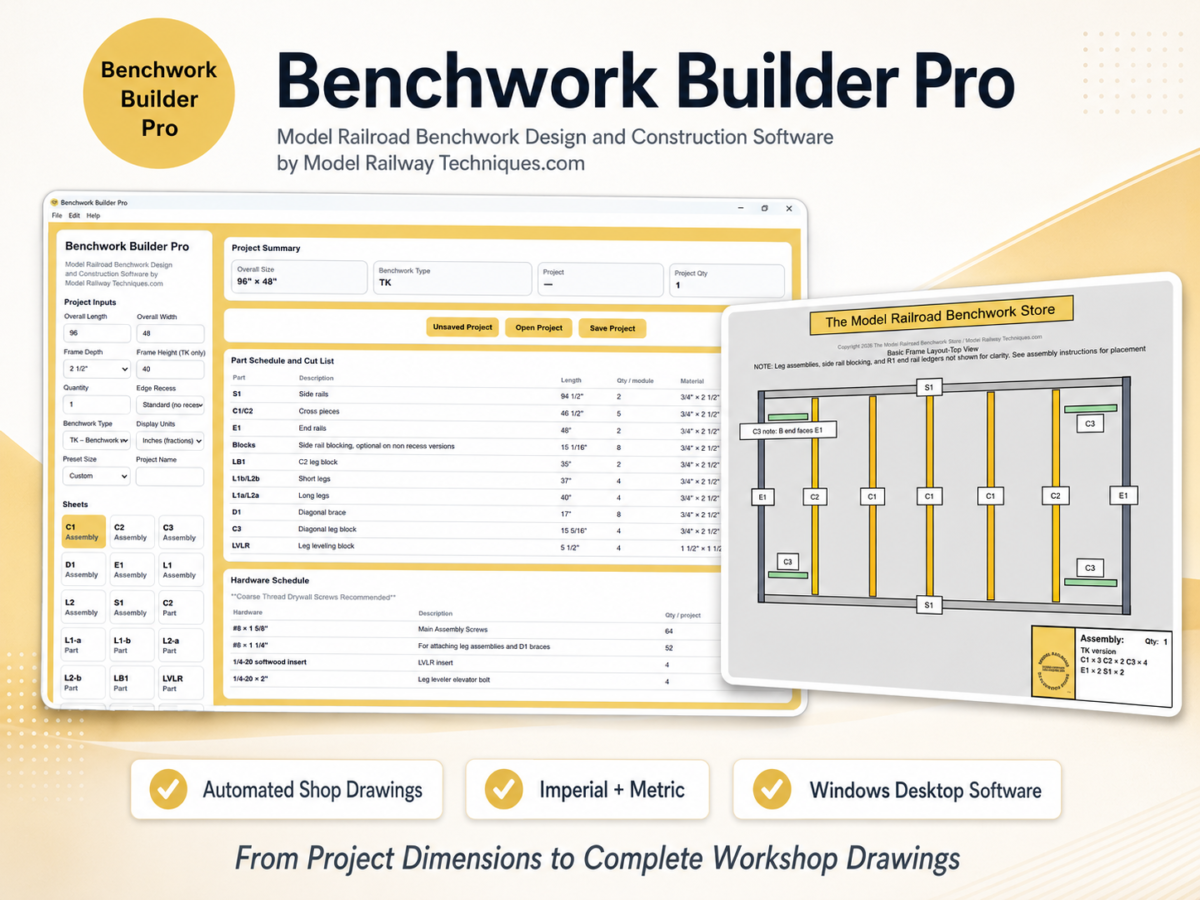
Designing a model railroad is exciting. Calculating and documenting every piece of the supporting benchwork is often not.
A custom benchwork project may require dozens of measurements, individual part dimensions, cross-piece locations, leg components, braces, hole positions, material sizes, fastener quantities, and assembly references. Even a relatively simple table can create hours of repetitive calculation and drawing work before construction begins.
Benchwork Builder Pro™ was developed to automate that process.
Benchwork Builder Pro is specialized model railroad benchwork design and construction software that converts your project specifications into a complete, organized shop-drawing package.
Enter the size and construction options for your project, and the software automatically produces the drawings and fabrication information needed to plan and build the benchwork.
There is no need to fill measurements into blank plan sheets, recalculate every component manually, or redraw the project whenever a dimension changes.
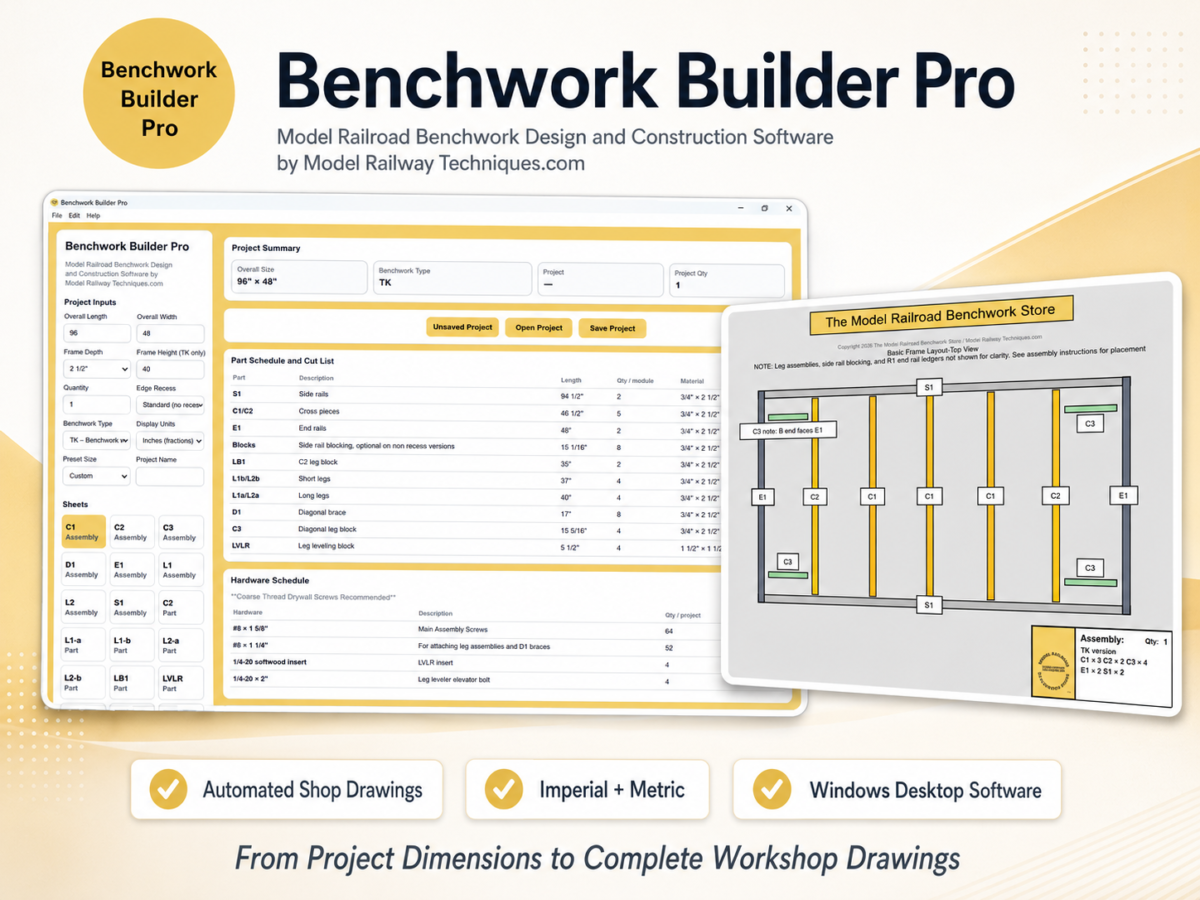
From Project Dimensions to Complete Workshop Drawings
Benchwork Builder Pro is designed around a straightforward workflow:
- Enter the project dimensions.
- Select the benchwork type and construction options.
- Choose imperial or metric measurements.
- Review the automatically generated drawing set.
- Save, print, or export the finished project.
The application updates the project information and drawings in real time as values are changed.
This allows you to evaluate a design, adjust the overall size, compare alternatives, and create a revised drawing set without manually recalculating every affected part.
What Benchwork Builder Pro Generates
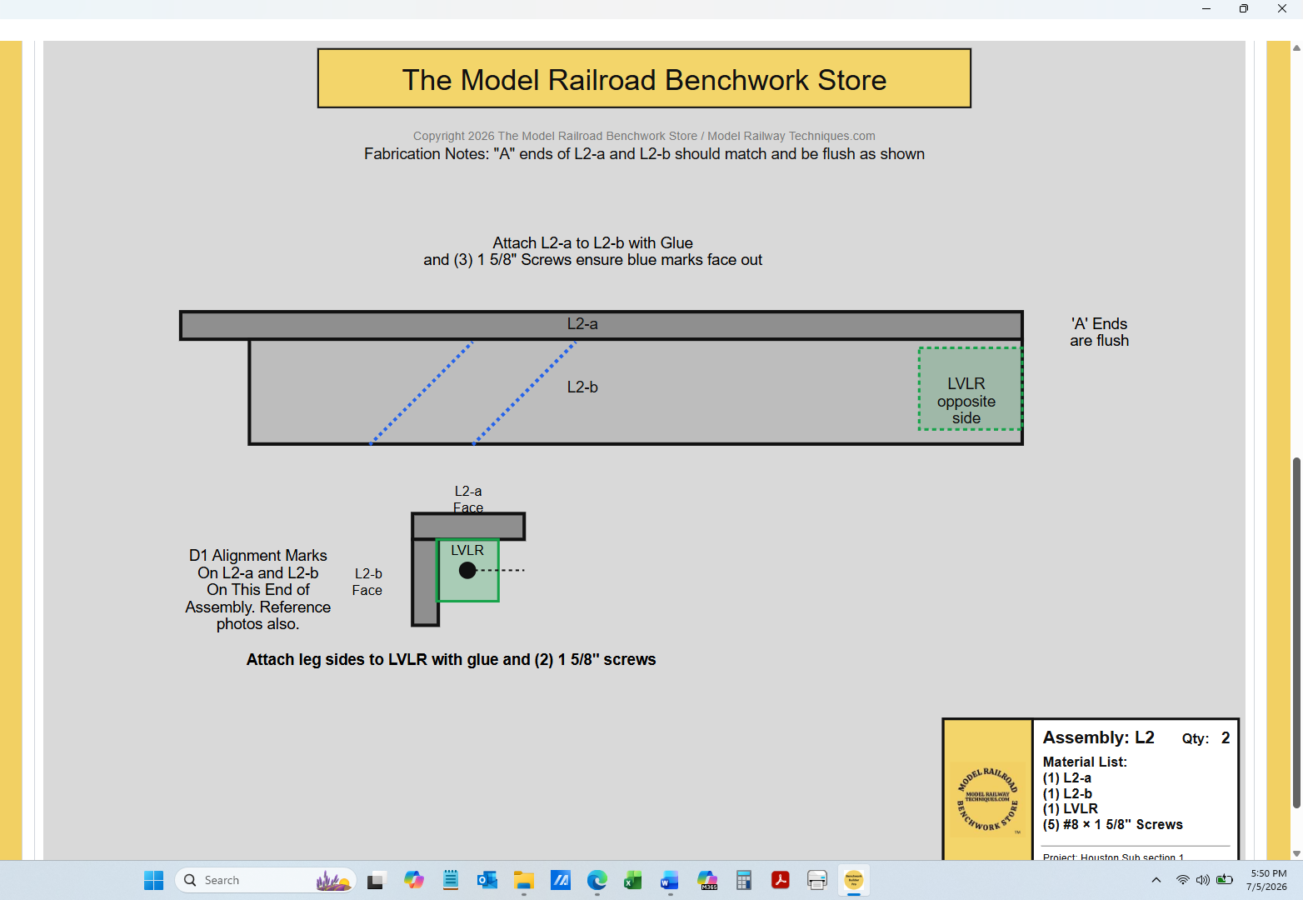
Depending on the selected project configuration, Benchwork Builder Pro can automatically create:
- Fully dimensioned assembly drawings
- Individual part drawings
- Project-specific cut lists
- Part descriptions and quantities
- Material dimensions
- Hardware schedules
- Hole locations
- Alignment and assembly markings
- Overall project dimensions
- Imperial or metric drawing output
- Printable individual sheets
- A complete multi-page PDF drawing set
The result is a clear, organized fabrication roadmap that can be used in your own workshop or provided, under the permitted personal-project terms, to a local woodworker or hired fabricator building your personal benchwork.
Designed for Model Railroad Construction
Benchwork Builder Pro is not a general-purpose CAD program.
It was developed specifically for model railroad benchwork and model railway baseboard construction.
That distinction matters.
General CAD software can be extremely powerful, but it often requires the user to create every part, dimension, label, drawing sheet, and material schedule manually. The user must also understand the construction method well enough to decide what needs to be drawn.
Benchwork Builder Pro begins with a purpose-built benchwork system and automatically converts the project inputs into practical construction documents.
This allows the model railroader to focus on the project requirements rather than learning an unrelated drafting system.
How It Fits With Track-Planning Software
Track-planning programs and Benchwork Builder Pro perform different jobs.
Track-planning software shows where the railroad will go. Benchwork Builder Pro creates the shop drawings needed to build the structure beneath it.
A typical project workflow may look like this:
1. Develop the track plan
Create or finalize the layout using your preferred planning method or track-design software.
2. Determine the benchwork footprint
Identify the required length, width, height, access openings, sections, and construction needs.
3. Enter the specifications
Enter the applicable project dimensions and options into Benchwork Builder Pro.
4. Review the automated drawings
Check the assembly drawings, individual parts, quantities, cut dimensions, hardware information, and alignment details.
5. Save, print, and build
Save the project for later revisions, print the required sheets, or export the complete drawing package as a PDF.
Benchwork Builder Pro therefore complements track-planning software rather than replacing it.
Imperial and Metric Support
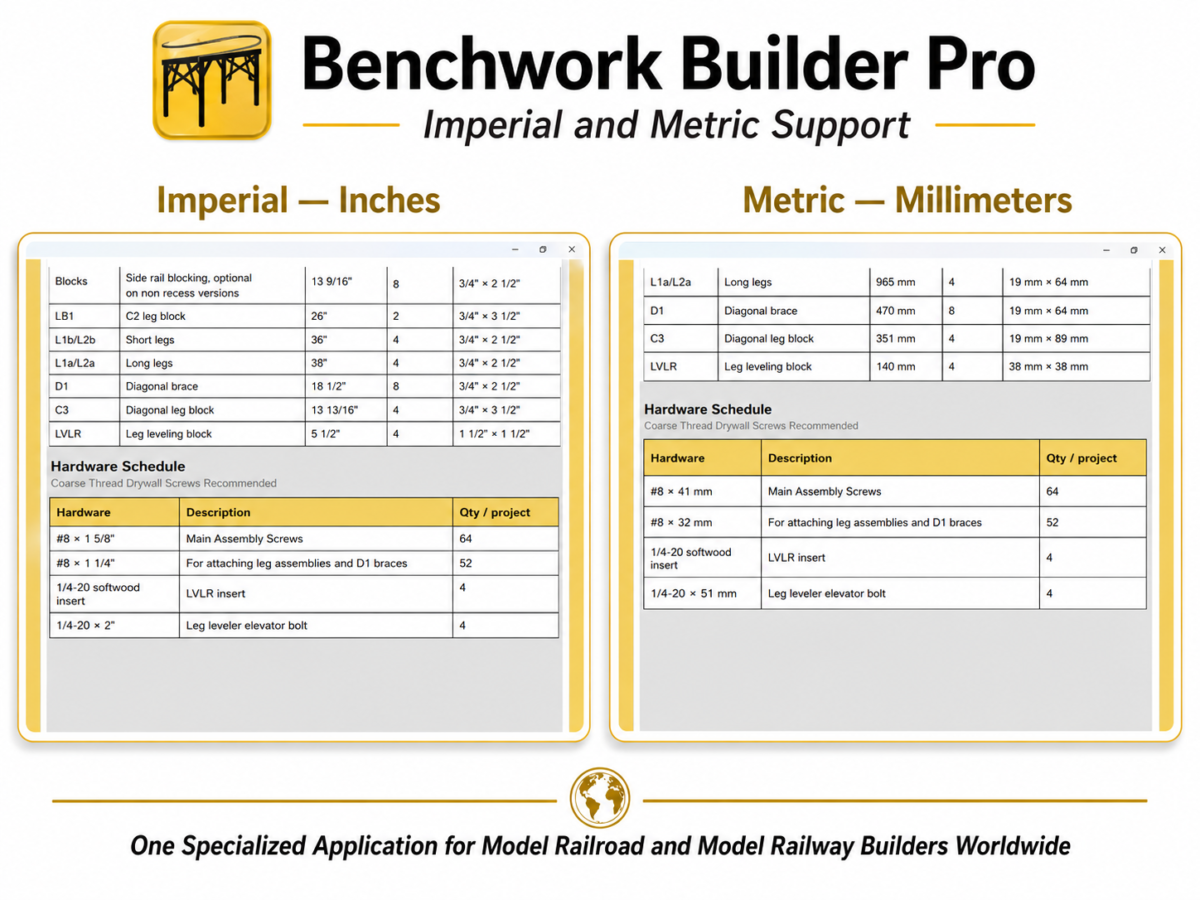
Model railroaders use different measurement systems throughout the world.
Benchwork Builder Pro supports:
- Imperial measurements using inches and fractions
- Metric measurements using millimeters
The unit setting affects the project summary, part dimensions, cut-list information, hardware information, and drawing output.
This makes the application useful for both model railroad builders and model railway baseboard builders in international markets.
Save and Reopen Your Projects
Benchwork designs often change.
A room measurement may be revised. A table may need to become wider. A builder may want to compare two heights or preserve a previous version before making changes.
Benchwork Builder Pro includes project-file controls that allow you to:
- Save the current project
- Reopen a saved project
- Use Save Project As to create another version
- Preserve design alternatives under separate filenames
- Keep the project file with its final exported PDFs
This is especially helpful when evaluating multiple sizes or developing a project over time.
Print Individual Sheets or the Complete Drawing Set
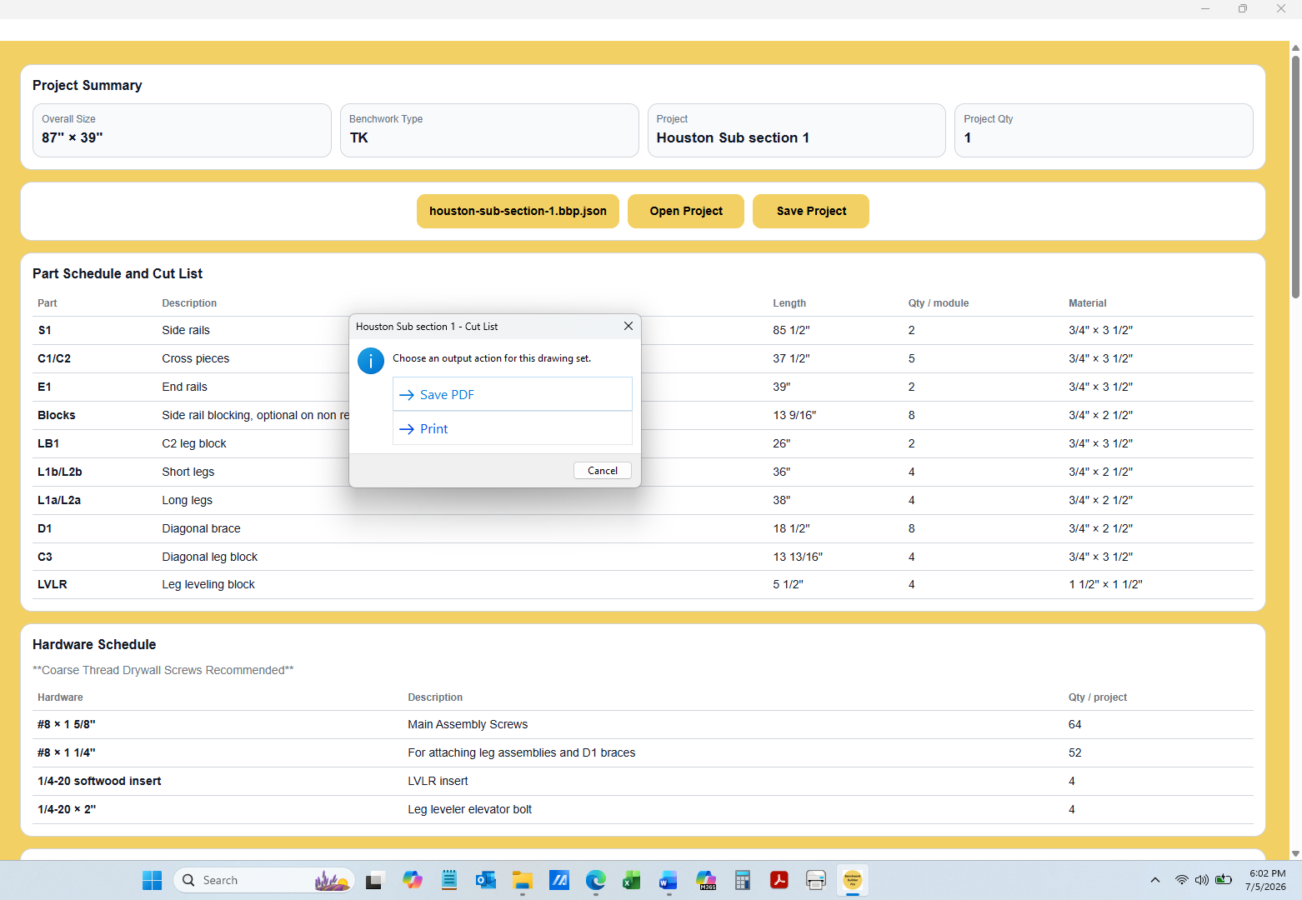
The application supports both direct printing and PDF export.
You can:
- Print the currently selected drawing sheet
- Print the complete drawing set
- Export the current sheet as a PDF
- Export the full project as a multi-page PDF
PDF export makes it easy to archive the final drawing package, review it on another device, or print it through a normal PDF viewer.
Customers should always verify the final dimensions, project inputs, paper settings, orientation, and output before beginning fabrication.
Developed From Real-World Fabrication Experience
Benchwork Builder Pro was not developed solely as a theoretical drawing exercise.
The software is based on practical model railroad benchwork design and fabrication experience from The Model Railroad Benchwork Store / Model Railway Techniques.
The underlying system reflects real shop requirements, including:
- Part identification
- Repeatable fabrication
- Material organization
- Assembly sequencing
- Hole-location references
- Alignment markings
- Hardware planning
- Workshop-friendly drawing sheets
The goal is not simply to create an attractive picture of a table.
The goal is to create usable construction information.
Who Is Benchwork Builder Pro For?
Benchwork Builder Pro may be a good fit for:
- Model railroaders building their own benchwork
- Model railway builders working in metric units
- Hobbyists who want more organization than a hand sketch provides
- Builders who do not want to learn full CAD software
- Customers planning multiple benchwork sections
- Modelers comparing different project dimensions
- Customers hiring a local woodworker for their personal project
- Builders who want printed part drawings and cut lists before purchasing material
The standard license is for the original purchaser’s personal, noncommercial projects.
Commercial fabrication, organizational use, club use, educational use, resale, or designing benchwork for other customers requires separate written authorization.
What Benchwork Builder Pro Is Not
Benchwork Builder Pro is not:
- Track-planning software
- A general-purpose CAD program
- Structural-engineering software
- Architectural or building-code software
- A material supplier
- A finished benchwork kit
- A replacement for safe woodworking practices
- A commercial manufacturing license
The purchaser or fabricator remains responsible for confirming project inputs, material suitability, fabrication accuracy, installation conditions, anchoring, workmanship, and safe use.
Replacing the Former PRO Digital Package
Benchwork Builder Pro replaces the former:
PRO Digital Benchwork Plan Package™ plus Model Railroad Benchwork Cut List Generator™
The previous system combined prepared plan sheets with a separate cut-list generator and required more manual transfer of project information.
Benchwork Builder Pro brings the workflow into one Windows desktop application.
Drawings, cut information, quantities, material details, and hardware schedules now update together as project inputs change.
This creates a faster and more integrated process for developing a custom benchwork drawing set.
Windows Desktop Software
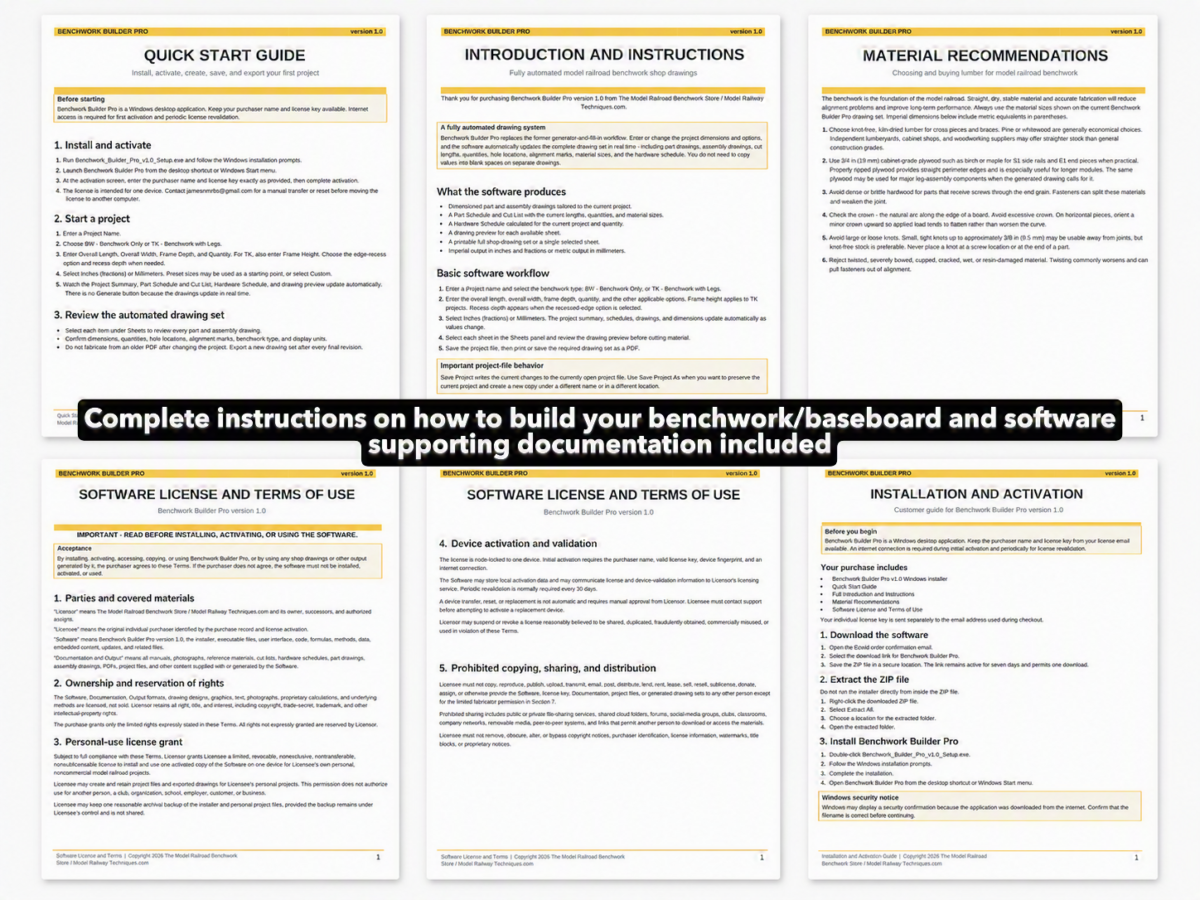
Benchwork Builder Pro is a downloadable Windows desktop application.
The current release is intended for supported 64-bit Windows computers, with Windows 11 recommended.
The software is not currently offered as a native application for:
- macOS
- Linux
- ChromeOS
- Android
- iPhone or iPad
- Windows ARM devices
An internet connection is required for initial activation and periodic license verification.
The application may be used offline between normal validation periods, subject to the license terms and revalidation requirements.
One-Time Personal License
Benchwork Builder Pro is sold as a one-time personal software license.
The standard license includes:
- One individual purchaser
- One activated computer
- Personal, noncommercial use
- Version 1.x bug fixes and minor improvements when released
- Manual computer-transfer assistance after purchase verification
- Included installation and operating documentation
- Customer support by email
It is not a monthly subscription.
A future major version, such as version 2.0, may be sold separately or offered as a paid upgrade.
Introductory Launch Price
The regular price for Benchwork Builder Pro will be:
$99.95 USD
For the initial product launch, Benchwork Builder Pro is available for: $79.95 USD
The introductory offer is currently planned to end on September 1, 2026.
The purchase includes the Windows installer and supporting PDF documentation plus the activation license key. The individual license key is issued separately to the purchaser named on the order and delivered to the checkout email address.
Each personal license is for one individual user on one computer and may not be shared with another person, business, club, school, or organization.
See the Software in Action
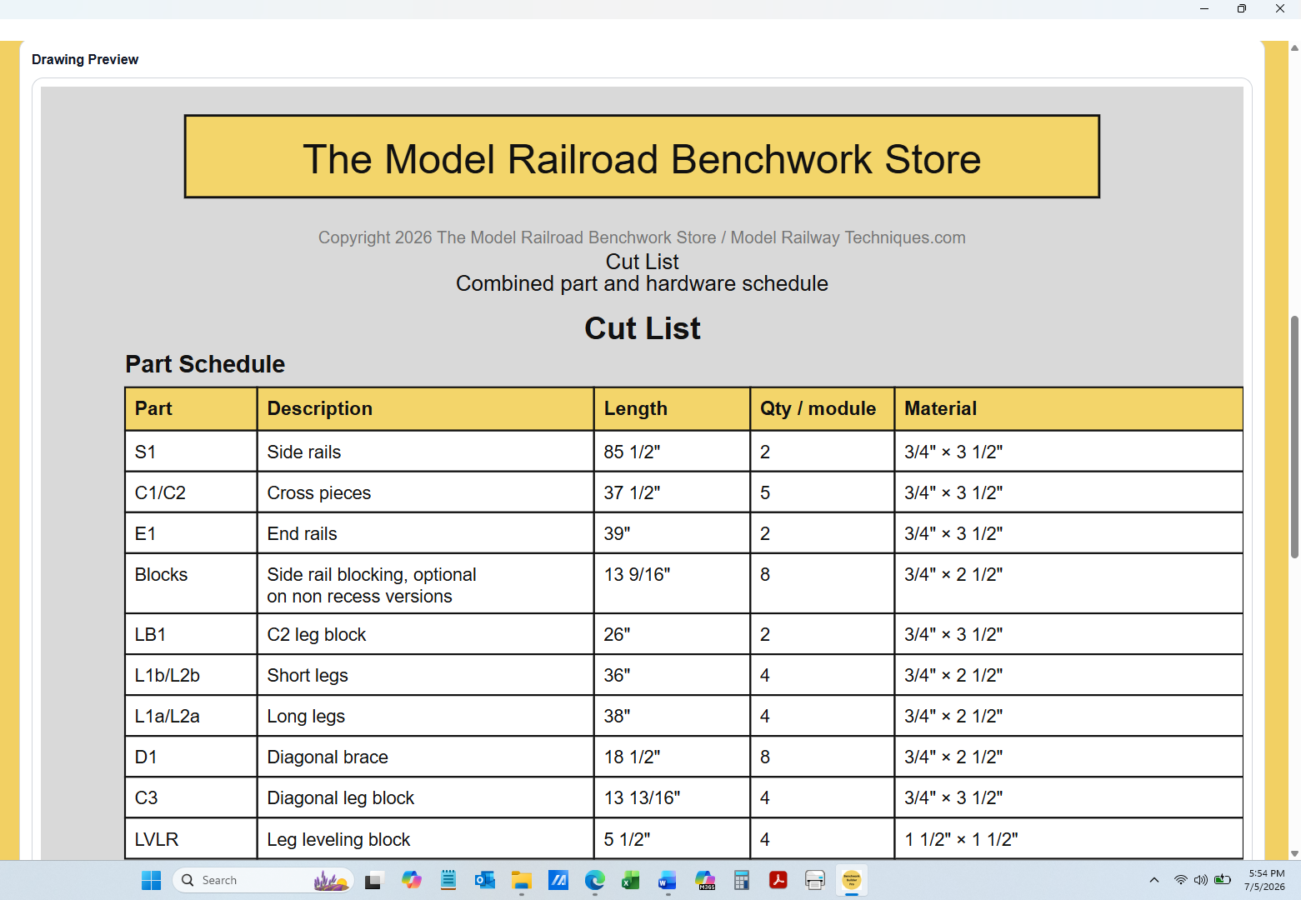
Before purchasing, review the product screenshots and sample drawing output to see how Benchwork Builder Pro converts project inputs into:
- Assembly drawings
- Part drawings
- Cut lists
- Hardware schedules
- Imperial or metric output
- Printable workshop documents
Build From a Clearer Plan
Successful benchwork begins before the first board is cut.
Clear dimensions, organized parts, accurate quantities, and consistent drawings can reduce confusion and help avoid preventable fabrication errors.
Benchwork Builder Pro provides a practical connection between the dimensions of your proposed benchwork and the workshop documents needed to build it.
Benchwork Builder Pro™ — Model Railroad Benchwork Design and Construction Software
Copyright 2026 The Model Railroad Benchwork Store/Model Railway Techniques.com All Rights Reserved
Benchwork Builder Pro, PDF Benchwork Plan Packages, Digital PDF Model Railroad Table Plan Packages, “PRO” Digital Benchwork Plan Packages, Model Railroad Benchwork Cut List & Plan Generator, Helix Builder, EZ-FOLD NTRAK Modules, EZ-FOLD Free-Mo Modules, and The Model Railroad Benchwork Store are Trademarks of The Model Railroad Benchwork Store/Model Railway Techniques.com and may not be reproduced, copied, or redistributed in any way without prior written consent by The Model Railroad Benchwork Store/Model Railway Techniques.com
Last Updated on 4 months ago ago by James from Model Railway Techniques